Custom informations of TableButler's appearance are stored in a standard Windows *.ini file, which is located in the same filder where TableButler's executable file is located.
If different users want to use TableButler
on the same computer - or if you want different "versions" of TableButler
- you can create specific E.g. desktop links to TableButler
specifying different inifiles via commandline.
The different actions of TableButler are
grouped in separate tab-sheets. For users which only use a certain set of
tasks, they can hide the unused tab-sheets.
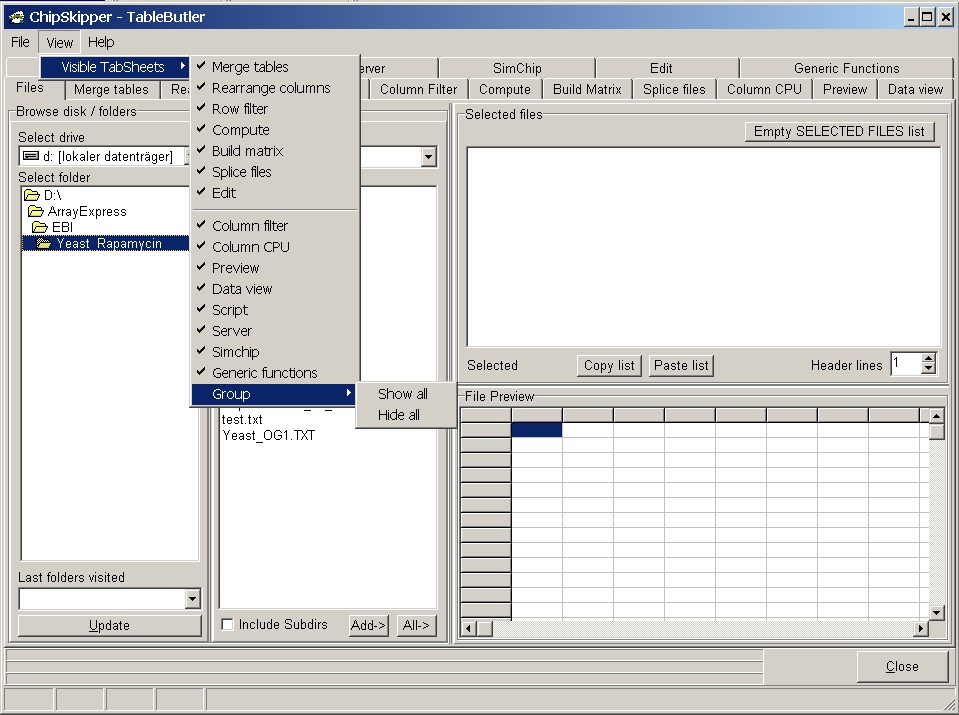
From main menu selet View | Visible tabsheets:
Now you can Hide / Show any of the different tab-sheets.
Last edited 02.03.2006