The final target of the whole filtering / combining and merging is a expressionmatrix which can be used in clustering programs (e.g. Expressionprofiler, Cluster, MEV, GeneSpring, ...).
NB !!
TableButler copies the specified
columns from all selected datafiles into the result file.
This requires, that all files have same structure and size. Applying this
function to files with different layouts wil result in useless datafiles.
When using files with different layouts use the TableButler's
Merge functions.
NB!!
TableButler supports this task :
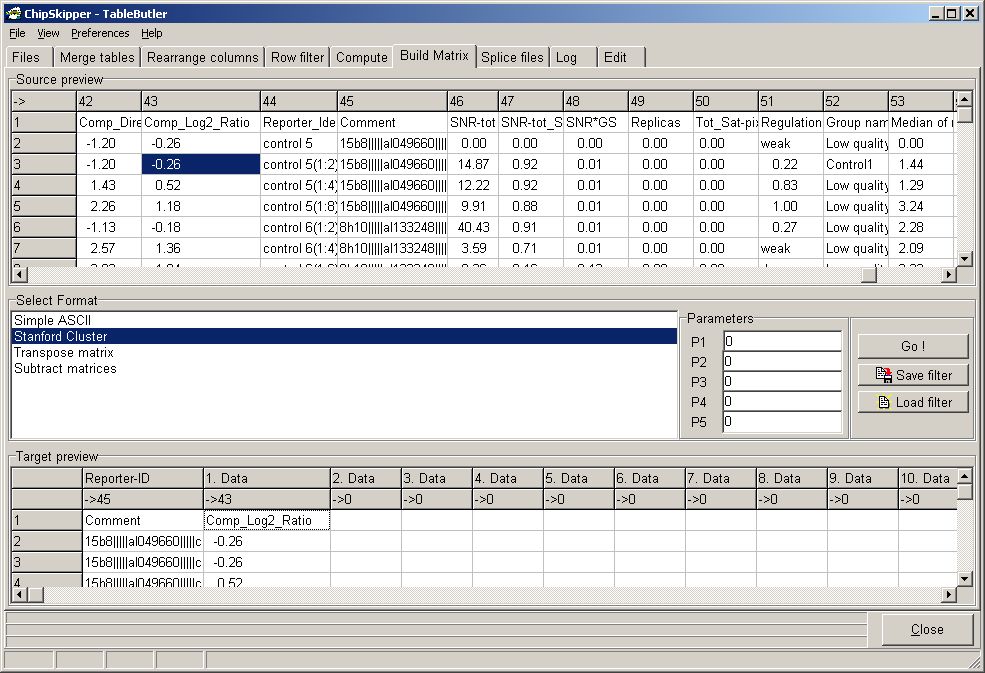
Click GeneID colum in the preview grid, then click the Reporter_ID column in the target grid.
Click the desired ratio column in the preview, then 1.Data column in the target grid.
Select the Out Format (e.g. Stanford cluster) to create the expressionmatrix.
The column assignments anf format can be saved as a "dictionray" and reused later.
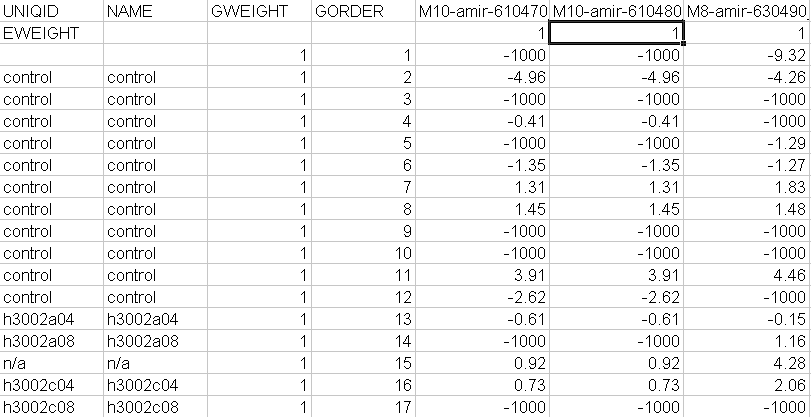
The example shows a part of a Stanford formated Expressionmatrix:
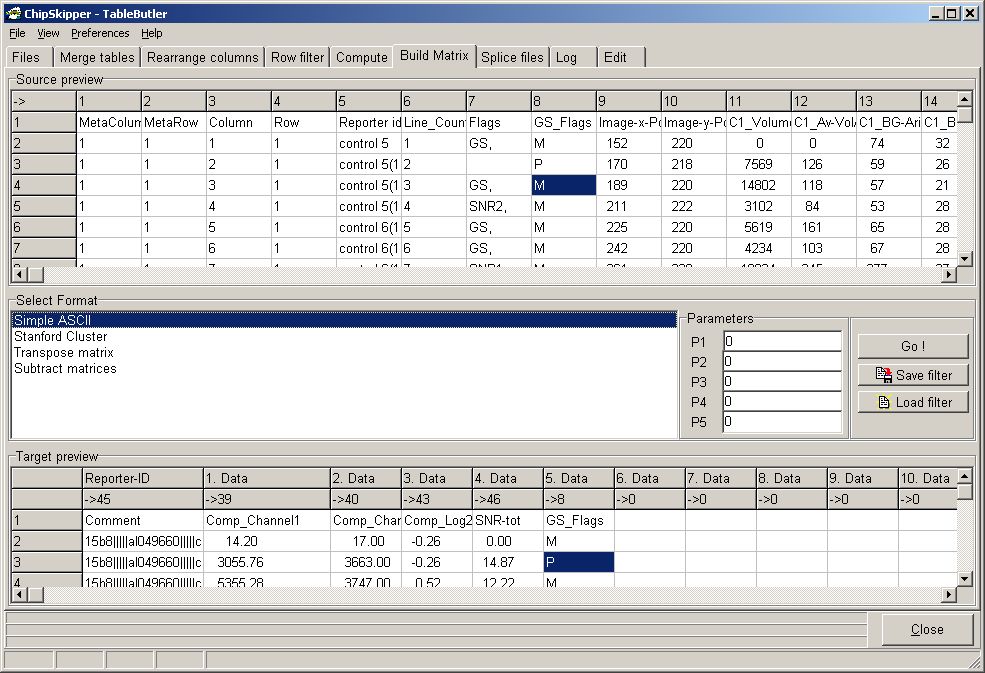
Instead of Stanford expressionmatrices you can also create any kind of combined data file, extracting the same columns out of all selected source datafiles saving them into one combined table:
The 2. example shows setup to create a combined data file where only Normalized Intensities, Log ratio a Signal score and a Quality flag are combined :
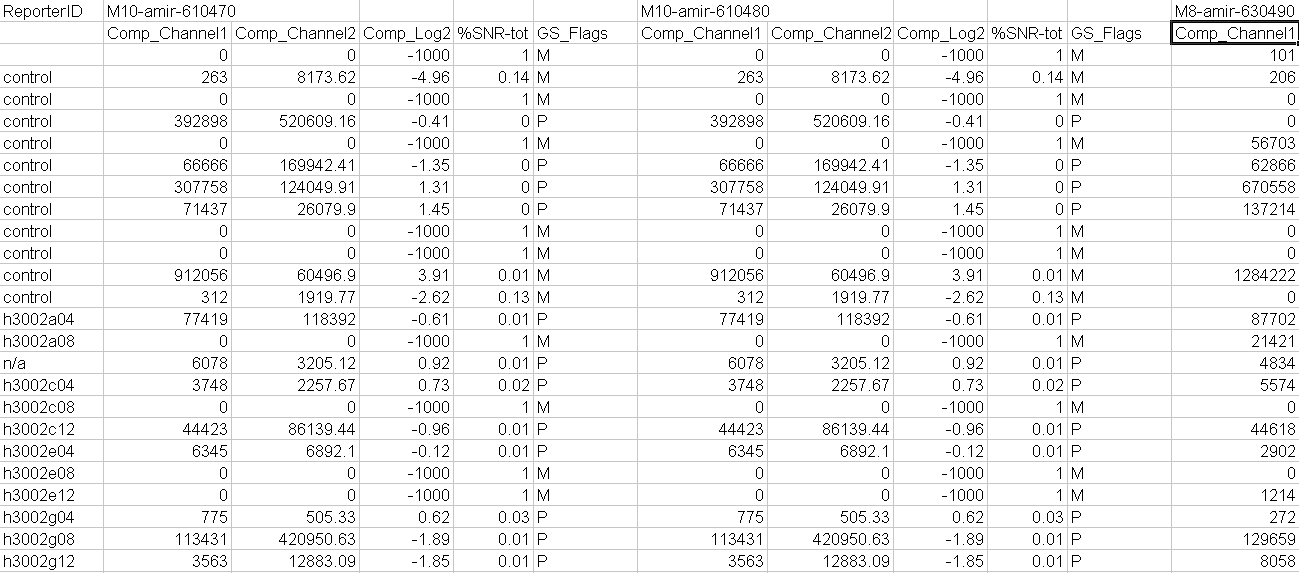
Resulting in a data file like this :
If you want to use multiple Reporter-ID columns (i.e.
gene descriptions taken once from the first data file), define in edit field P1
the number of fixed Reporter-ID columns.
Add the respective (same number as defined in P1 edit field) columns (by
clicking the Reporter-ID column in preview, then the corresponfiding column in
Target).
Now add the (one or multiple) data columns.
The table illustrates the structure of a matrix, derived from
| Rep_ID1 | REP_ID2 | Rep_ID3 | REP_ID4 | DataCol1 | DataCol2 | DataCol1 | DataCol2 | DataCol1 | DataCol2 | DataCol1 | DataCol2 |
| File1 | File1 | File1 | File1 | File1 | File1 | File2 | File2 | File3 | File3 | File4 | File4 |
Additionally you can transpose a matrix, i.e. exchange rows with columns.
Last edited 22.11.2007,